How to Build a Home Football Viewing Room: Picture, Sound and Comfort
A practical guide to creating a home football viewing room: screen placement, seating angles, lighting, sound, cabling, network and device ventilation to ensure a comfortable group experience.
Turning part of your home into a comfortable football viewing room requires planning for screen placement, seating angles, lighting, sound, cabling, network stability and device ventilation — this guide covers practical steps to build a long-lasting setup.
Screen placement and viewing distance
Place the screen on a wall that can be seen directly from most seats and keep the vertical center of the image around eye level for seated viewers. A practical rule: viewing distance often falls between 1.5 and 3 times the screen’s visual height to balance immersion and detail.
Orientation matters: avoid mounting the screen too high or at an angle that forces neck strain. If your space is small, reduce screen size or increase viewing distance to prevent eye fatigue during fast-motion scenes.
Seating layout and sightlines
Design seating so each row or area has an unobstructed view. Raise rear rows slightly or stagger seats horizontally to maintain clear sightlines. Horizontal viewing angles beyond about 30 degrees from center can degrade contrast and color for some viewers, so keep primary seats within that band.
Allow legroom and clear circulation paths to reduce distractions during halftime and to make bathroom or refreshment trips easier without blocking others’ views.
Lighting and glare control
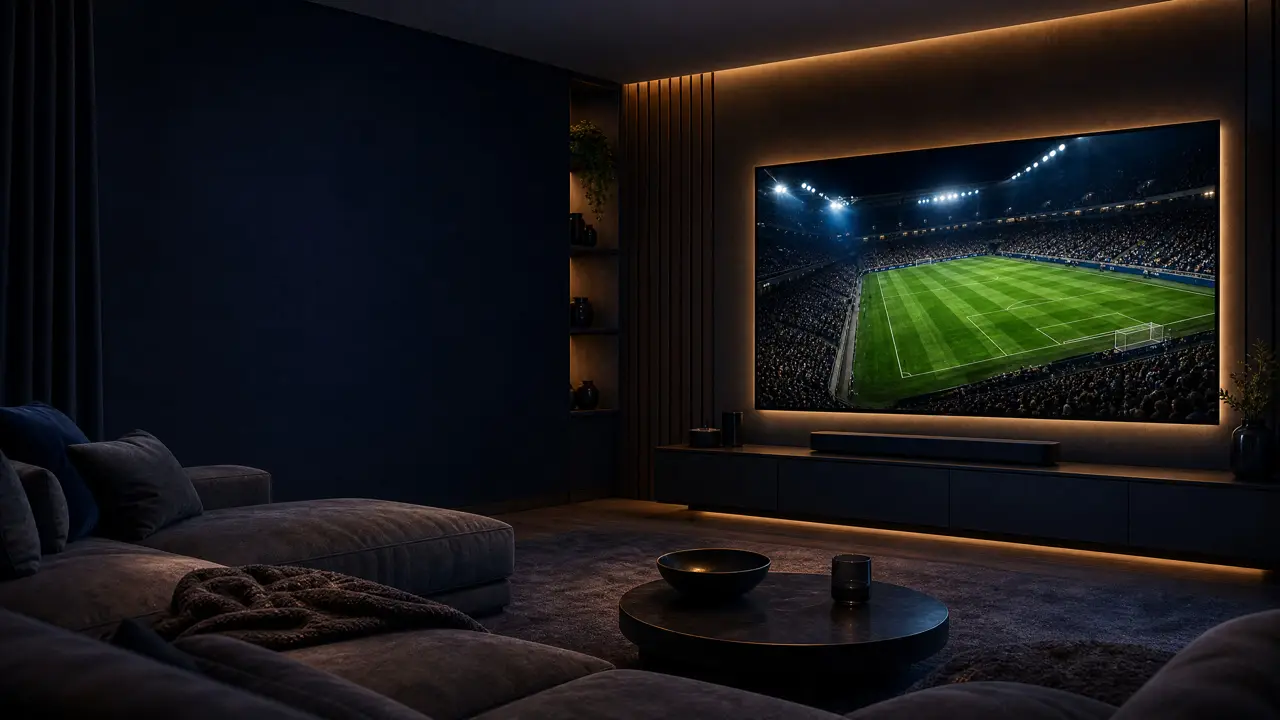
Proper lighting reduces eye strain and improves perceived picture quality. Use dimmable ambient lights and consider bias lighting behind the screen to improve perceived contrast and reduce eye fatigue. Warm color temperature lighting tends to be more comfortable for long viewing sessions.
Manage natural light with blackout or dimming solutions to prevent glare. Centralized lighting control or pre-set scenes helps change the room atmosphere swiftly between game and break times.
Audio setup and room treatment
Audio affects immersion as much as the picture. Decide whether you want a focused stereo soundstage or a broader surround experience. Place main speakers to the sides of the screen and consider a low-frequency unit (sub) positioned to minimize booming and vibrations.
Treat reflective surfaces with rugs, heavy curtains or acoustic panels at key reflection points to clarify commentary and reduce reverberation. You don’t need an audiophile room — targeted treatment often yields the biggest audible improvement.
Cabling, power and equipment access
Plan for adequate power outlets near equipment locations and protect gear with surge protection and proper grounding. Route cables in-wall or through raceways to keep them hidden and safe. Label cables to simplify troubleshooting and equipment changes later on.
Keep device front panels accessible for quick resets and cleaning; avoid burying essential ports behind furniture where they’re hard to reach.
Network and streaming reliability
For highest streaming stability, favor a wired Ethernet connection for receivers or streaming devices where possible. If you must use Wi‑Fi, place the router centrally and reduce interference from other electronics. Quality of Service (QoS) settings on modern routers can help prioritize streaming traffic during peak household usage.
Ensure any streaming service or app you use is compatible with your equipment and that you access content through legitimate channels. Services such as Rowad4K may be an option if they are compatible with your hardware and legally available to you.
Device cooling and maintenance
Electronics produce heat, so avoid enclosing servers, players or amplifiers in sealed cabinets without airflow. Allow clearance around vents, and add quiet fans or vent openings if temperatures run high. Regular dusting and filter cleaning prolongs component life and prevents overheating-related faults.
Group dynamics and comfort
Plan for flow and social interaction: provide surfaces for drinks and snacks away from primary sightlines and maintain easy access routes. Consider rules for mobile devices to minimize distractions and provide low-level walkway lighting to reduce trips without interrupting the viewing experience.
Centralized control of source selection and volume helps a small host manage the room without constant technical adjustments.
FAQ
How close should I sit to a large screen?
A reasonable guideline is 1.5–3 times the screen’s visual height. Closer seating increases immersion but may cause eye strain; further back offers clearer detail and easier viewing of fast motion.
What’s the simplest way to reduce screen glare?
Use dimmable ambient lighting, blackout window coverings and bias lighting behind the screen. Position lights so they don’t reflect directly on the display.
Is wired networking necessary for reliable streaming?
Wired Ethernet is the most reliable option for high-bitrate streams. If using Wi‑Fi, ensure good signal strength, updated equipment and router placement to minimize interference.
Conclusion — practical takeaway
Start by mapping screen position and sightlines, then arrange seating, lighting and acoustic treatments to protect sight and sound. Secure power and tidy cable routes, prioritize wired network links for critical devices, and ensure proper ventilation for long-term reliability. With a methodical setup and legal access to content, you’ll create a durable, comfortable viewing room suited to group match-watching for years to come.
Share this article